Amethyst Ed
Members
-
Joined
-
Last visited
Everything posted by Amethyst Ed
-
Yep. TRU.com is the place to beat. 3 days free shipping (if over 50 bucks). Picked up Leader Starscream, Powercore Smolder and Huffer for half price. You just cant beat it... Thanks for the heads up TFans! PS: Leader Starscream is AWESOME! You guys are gonna love this fig!
-
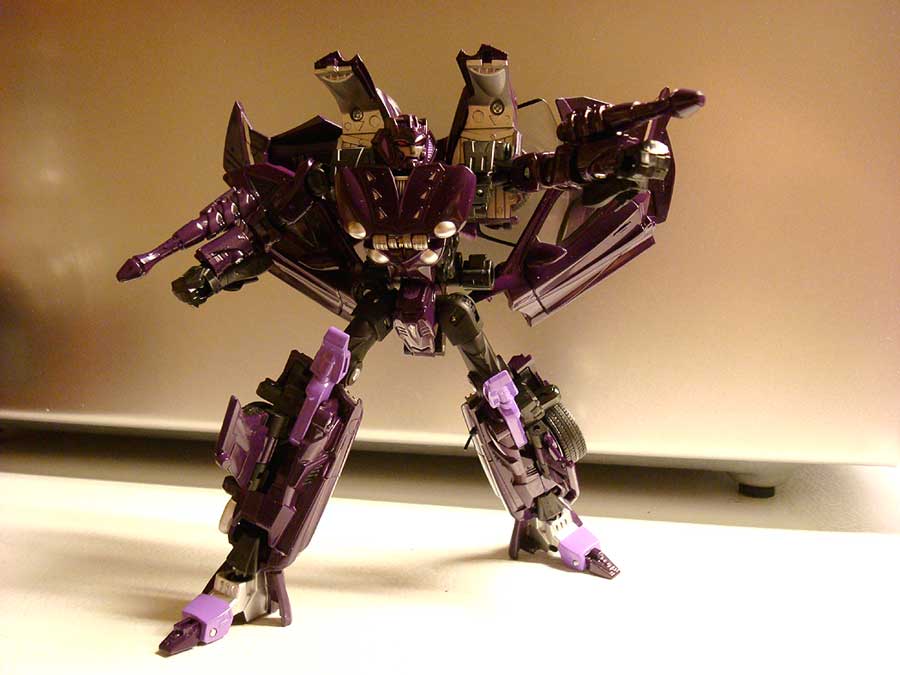
I found a way to pose the doors to "add" to the wings...

-
Alternity Skywarp from BBTS.com Nice figure. Less Diecast than convoy... Nice paintjob. Simple and not alot of color patterns. I still think he could use a few drops of yellow. The deep purple is awesome and the lavender is kinda gay. But they didint use alot, so I'm OK with it. There is a little silver, too. Car mode is freakishly awesome. Kinda reminds me of a manta ray crossed with a car... Nice touch to flip out the back wings for flight mode... A Tracks repaint would be perfect! Bot mode is a mixed bag. Nice proportions. Though at times kinda lean and beanpolish. Head is awesome! Very seeker. Very Decepticon! TONS of articulation in the arms and legs. Balljointed feet and semi ratcheting hips make the fig very stable. The arms are super balljointed and swiveled which is nice if not overdone... Fists are ball jointed too. I found a way to convert side kibble into wings! Check the pic! Just swivel the dooors back and up to pose into back wings! They kinda hide the assemetrical hood / trunk wings. 7 out of 10

-
-
-
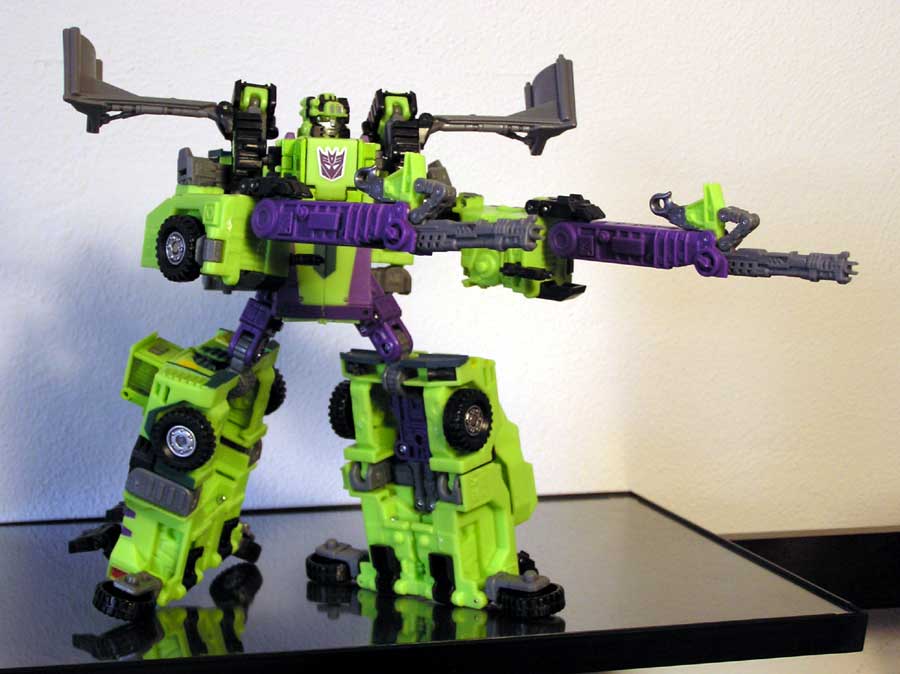
Yea, Landfill is cool. But (Target Exclusive) Universe Devastator is MUCH cooler!

-
Here's my Leader Prime... I just added some silver painto him. I'm far from a pro. Or even kitbasher, but I do like my metallic paint pens... Added paint to the following areas: Head: Silver around the eyes (like TFTM 07 Robovision Prime) Neck. 2 red sections... Chest: Windows have silver rearview mirrors and the bottom half of the blue is added. Also added Windshield wiper blades. Back panels. Added a few silver highlights to the amazing circuitry on his back. I'll take more pics later with more paint apps...

-
Hasbro could learn a thing from these Road Bots... This guy is HUGE and for under $20 bucks?
-
Some new poses...
-
Very cool! What did you do to Blitzwing's, er, wings? ~Matt Booker Hey Matt, Animated Blitzwing is a decent Voyager figure. Sure glad they made him at this size class... In robot mode the wings are connected to the upper shouders, and I couldnt get a cool pose without them being in the way. I think on the show his wings are on his back. Which is impossible... Or is it? Hmmm... I basically popped them off the black swivel connectors and clipped them together (as if you were transforming him into a tank. Then used one the the clear rubber bands (they shipped Ultra Magnus with) to wrap around both shoulder joints. Now his wings are on his back. I'm not nearly as good as some of the TFans who mod. But I can do a few tricks. Thanks for noticing. And keep modding!
-
My choice pics for Animated... Soon Shockwave, Swindel, Blurr and Legends Bumblebee will join the shelf...