Skip to content
View in the app

A better way to browse. Learn more.

TFormers Community

A full-screen app on your home screen with push notifications, badges and more.

To install this app on iOS and iPadOS
  1. Tap the Share icon in Safari
  2. Scroll the menu and tap Add to Home Screen.
  3. Tap Add in the top-right corner.
To install this app on Android
  1. Tap the 3-dot menu (⋮) in the top-right corner of the browser.
  2. Tap Add to Home screen or Install app.
  3. Confirm by tapping Install.

My Custom God Ginrai

Recommended Posts

nice work!

  • Replies 27
  • Views 4.6k
  • Created
  • Last Reply
  • Author

ginraiultimate1.jpg


GodBomberClose.jpg


transport1.jpg


Ginraipoint.jpg


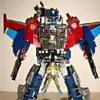
This is some of the pictures showing the process of making my custom. and to highlight how the arms and fingers look like prior to completion. :tflaugh

frickin' awesome!!!


seriously, that's really amazing... fairly articulate fingers, the three headmaster kids... what else could you throw @ us, Jet Convoy?

one could easily kitbash omega prime into god jinria all you would have to do is alter blue bolts to be a pair of lower arm mounted laser cannons. thus giving you that winglet affect through there. tweak the ladder assembly slightly so it could serve as a right shoulder mounted cannon with thetiny white ladder piece folding out the way so the head can see past it right and then slap on the missile pods to the lower legs the shoulder armor onto the wings and the gauntlet armor onto the back pack


guys try to imagine omega prime bashed up like that okay take a real good look at this god jin ria custom and then imagine omege prime bashed up into god jinrai.


i always figured omega prime would make for a good upgrade of this great toy.

Im loving the Humans, I wish Takara would make Micromen of them!

Jet Convoy, I am TRULY amazed! Your Super God Ginrai is AWESOME!!! I have to admit: you made me jealous! :D


BTW, welcome to TFans and the Kitbashing forums. All of us here definitely hope to see more work from you! It's a pleasure to meet a talented kitbasher like oyu.

dude that totally ROCKS :thumb :thumb prime is my favorite


welcome :ab

Just letting ya know that it looks great....but an actual company released a kitbash exactly like that. It was an add-on set for God Ginrai that made him look more anime style.


http://www.bigbadtoystore.com/toystan.asp?Queryid=tf368

this overly expensive add-on set is an abomination compared to the sweet articulated kitbash Jet Convoy just showed :D


I like the Microman Ginrai, will you make an articulated Minerva as well? (both robot as human form?)


BTW: you should post this at www.tfmaster.com!

Very nice dude!!!! :clap :clap


Two thumbs way up! :thumb :thumb

Archived

This topic is now archived and is closed to further replies.

Sign Up For The TNI Newsletter And Have The News Delivered To You!
SOCIAL NETWORKS

ToyNewsI MarvelousNews Tformers JediInsider
Entertainment News International (ENI) is the oldest, largest, and most popular news source for adult toy collectors (kidults) all around the world.

Get the scoop every day on all the popular culture action figures, comics, games, movies, toys, and more!

Contact and Support
Advertising | Submit News | Contact ENI | Privacy Policy


All images, trademarks, logos, video, brands and images used on this website are registered trademarks of their respective companies and owners. All Rights Reserved. Data has been shared for news reporting purposes only. All content sourced by fans, online websites, and or other fan community sources. Entertainment News International is not responsible for reporting errors, inaccuracies, omissions, and or other liablities related to news shared here. We do our best to keep tabs on infringements. If some of your content was shared by accident. Please Contact us about any infringements right away - CLICK HERE

Account

Navigation

Search

Search

Configure browser push notifications

Chrome (Android)
  1. Tap the lock icon next to the address bar.
  2. Tap Permissions → Notifications.
  3. Adjust your preference.
Chrome (Desktop)
  1. Click the padlock icon in the address bar.
  2. Select Site settings.
  3. Find Notifications and adjust your preference.